Organize your next project with collections and tags
Collections describe where an image will be used. Tags describe its qualities. Keep your inspiration library easy to find and organize with simple categories.

Build collections around projects
Use names you will recognize and open, such as Brand proposal, Website redesign or Space references. Categories that match your current work are easier to maintain than a large directory created in advance.
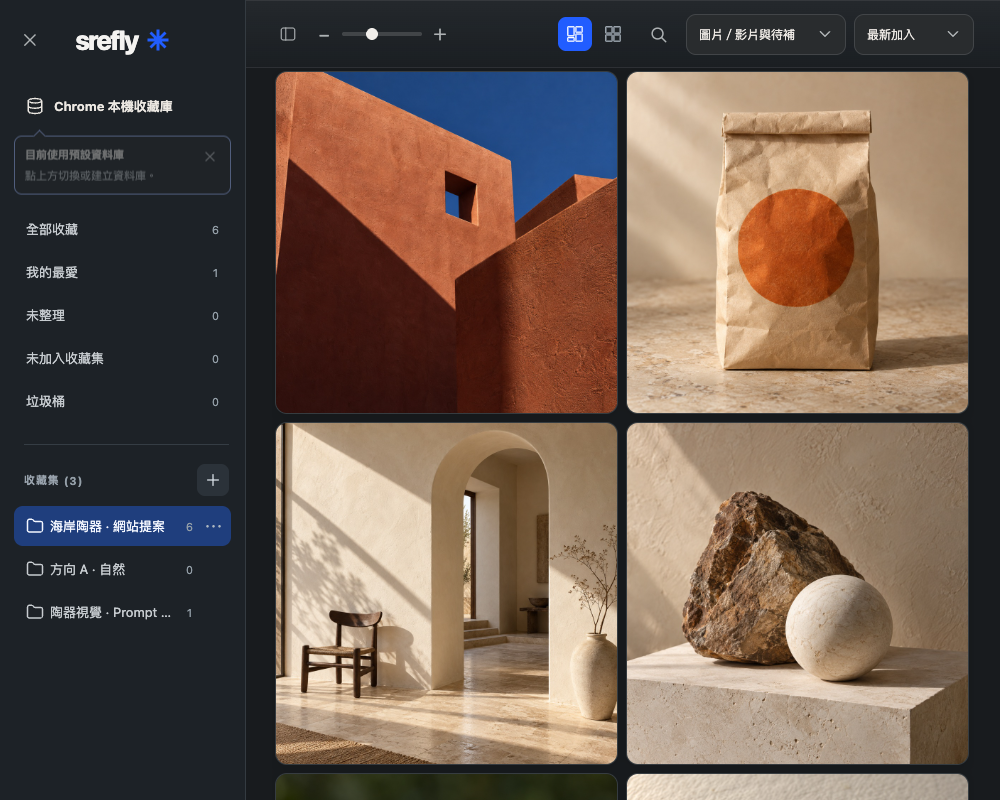
SREFLY offers collections and batch actions. Organize related images together to reduce repeated work. The website manager also provides sample interactions for collections, search and adding multiple items.
Open the manager, add a collection from the sidebar and enter its project name. Select related images and add them in a batch, then open the collection to check them. Adding to a collection does not move or delete the original image.
Leave enough clues for search
Give an item a short name and keep useful Prompts or notes. A filename may be hard to recognize months later. A quiet afternoon interior is easier to remember than random digits.
As your collection grows, combine search and filters to narrow the results. If you cannot find an image, try a keyword you would have used when saving it, or browse the relevant collection.
Search with a title or a keyword from your notes, then narrow by collection. Clear filters if needed, try another recorded term and check that you opened the original Chrome profile and library.
Organize a small batch at a time
Before a project, choose useful items from your existing collection and add the references you need. Afterward, keep reusable tags and notes so this collection becomes a starting point for the next project.
Organization and backups are separate tasks. Export a complete .library backup, especially before removing the extension, changing Chrome profiles or moving to another computer.
Need help installing or using SREFLY?Visit the support center →
Keep reading

Save the image, then add your Prompt and SREF
Start with an image you like. Keep its source, Prompt and style reference together so you can find them again when you create.

Back up your .library and take your collection with you
Understand Chrome storage, folder libraries and manual .library backups. Keep a complete copy before changing computers or removing the extension.