SREFLY / CREATIVE TOOLS
Creative tools
for AI creators.
A direction for your work. A home for your inspiration.
Explore AI styles. Save images, prompts and SREF codes. Turn every discovery into a starting point for your next creation.

TWO TOOLS. ONE CREATIVE FLOW.
Find the right tool for your creative process.
Find your direction, then keep your inspiration. Two tools, each with a clear purpose.
01 / SREFLY COLLECT
Save inspiration for your next creation.
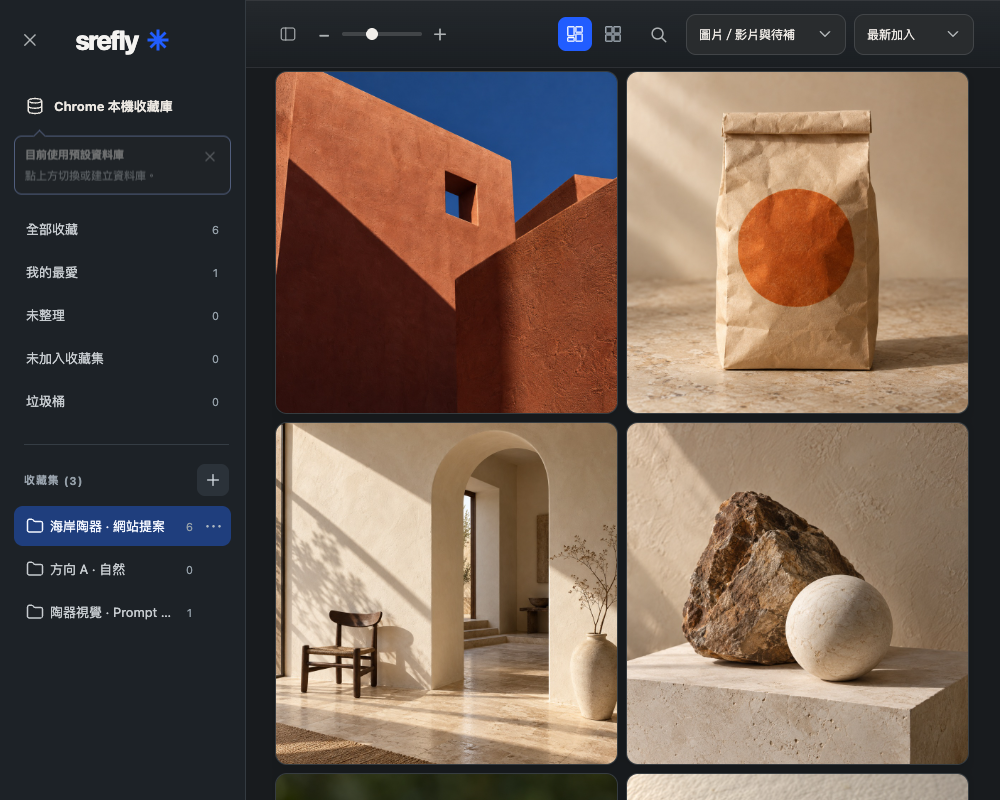
Save images, text, prompts and Midjourney SREF codes in Chrome. Organize your inspiration library with collections, tags and search.
Local first · Manual backups · 30-day trial
Meet Collect02 / SREFLY STYLE
Explore styles. Find a direction for your next work.
Explore Midjourney SREF references by use, color and texture. View source images and reference prompts, and save directions you like.
Style discovery · SREF references · Browser favorites
Open the style libraryYOUR NEXT CREATIVE STEP
From discovery to your next creation.
- 01
Explore
Find a visual direction you like in Style.
- 02
Save
Save images with Collect and add your prompts and SREF codes.
- 03
Organize and reuse
Organize inspiration by project and copy your references when you create again.
Choose a starting point. Make room for inspiration.