
When inspiration strikes,
save it for later.
Save images, Prompts and SREF in Chrome.
Build your own inspiration library.

A place
for quiet
inspiration.
Thoughtful spaces.
Simple forms.
Ideas worth keeping.
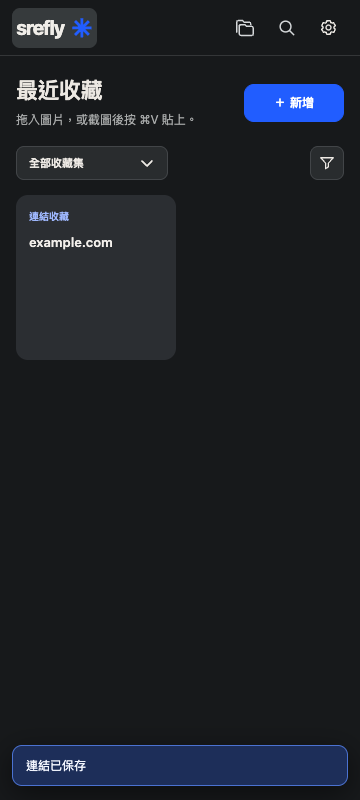
6 sample saves





Browse. Discover. Save.
Drag images you love into the library on the right.
Demo plays automatically. Drag or click an image to save it; refreshing resets the demo.
A HOME FOR YOUR INSPIRATION
Bring your inspiration
together.
Images, words and style references,
collected into a library of your own.
Give every image you love a place to belong.
MORE THAN A COLLECTION
A place for everything.
More from every save.
Organize with collections, tags and batch actions.
Keep every idea within reach.
Create collections for each project and give every idea a home.
KEEP YOUR PROMPTS
Keep your
Prompt。
Save your favorite words alongside your images.
Copy in one click when it is time to create again.
A little nature, a little space.
White flowers against a dark background, soft natural light, quiet botanical study.
Sample text. Edit it and make it your own.KEEP YOUR STYLE REFERENCES
Midjourney
SREF Code。
Keep SREF codes alongside their style references.
Copy a style you love whenever you need it.

Keep your favorite styles close.
--sref 1234567890
LOCAL FIRST. YOURS TO KEEP.
Your collection.
In your hands.
Save locally in Chrome,
or choose your own folder and back up manually.
MAKE ROOM FOR YOUR IDEAS
Try it. Then decide.
Explore saving and organizing,
and find your own creative rhythm.
One purchase.
Keep collecting ideas.
30-day trial and email verification.
Regular price US$24.99. US$16.99 with code SREFLYVERIFY8.
With discount code
US$24.99US$16.99
SREFLYVERIFY8Use at checkout to save US$8.
Personal license · One-time payment
One-time purchase with two Chrome installation slots.
Before you begin,
a few things to know.
Do I need email verification or a desktop app?
This standalone Chrome extension requires no desktop app. Verify your email on first use to start a 30-day trial, without a password or credit card.
Which browsers are supported? Can I use it on mobile?
The current environment is desktop Chrome 120 or later. You can browse this website and try its demos on mobile, but cannot install the extension here. Safari, Firefox, Edge and other browsers have not been verified as supported.
How do I install it and start a trial?
After installation, your 30-day trial starts with your first successful email verification. Reinstalling with the same email continues the original period. See the installation instructions to get started.View installation steps
What can I save? What if an image cannot be saved?
Save images, selected text, and the Prompts, SREF codes and sources you add. Access permissions, formats or source restrictions may prevent saving an image copy. Check its save status, then follow the permission prompts to retry or add an image manually.Get help with saving
Are Prompts and SREF codes captured automatically?
Save Prompts you provide and import SREF from recognizable text parameters. Optional webpage Prompt copying must be enabled for the relevant website. The extension does not reconstruct a Prompt from an image, analyze styles with AI or generate SREF codes.Learn about text capture
Where are my saves stored? Can I view them offline?
Saves live in your current Chrome profile by default, or in a folder library you choose. There is no automatic cloud sync. Saved image copies can be viewed offline; source-only items still need an internet connection and a working source.
Is my data uploaded? What permissions are needed?
Website demos do not read or upload your extension library. Basic saving is local. Context menus, the sidebar and storage need browser permissions; some media, folder access and webpage Prompt copying require additional authorization. Fetching media still sends requests to its source website.Read about permissions and data
Will I lose my saves if I uninstall or change computers?
Uninstalling, clearing Chrome storage or deleting a profile may remove local saves. Export a complete .library backup first, then import it on the new computer and check the images and text. License recovery does not restore your library; there is no automatic cloud backup.Read the backup and migration guide
What happens to my saves after the trial?
After the 30-day trial ends, you can still view, copy and export existing saves; adding and editing pause. Reinstalling does not restart the trial for the same email. Back up your collection first; email verification does not restore data automatically.Learn about trial expiry and saves
What does it cost? What updates and refund terms are included?
The personal one-time license is US$24.99, or US$16.99 with code SREFLYVERIFY8, including two Chrome installation slots and no monthly subscription. Enter the code at checkout to save US$8. Prices exclude tax; taxes are calculated at checkout. Payments are handled by Lemon Squeezy. Review update coverage and refund information before buying.Read the purchase and license FAQ
Your next creation
starts with a save.
Keep what you love for your future self.