SREFLY FOR CHROME
Turn brand references into a working collection.
Use Coastal ceramics as an exercise, from collecting references to choosing a proposal direction. Give each reference a purpose.
Guided exercise · Actual extension UI · Example collections
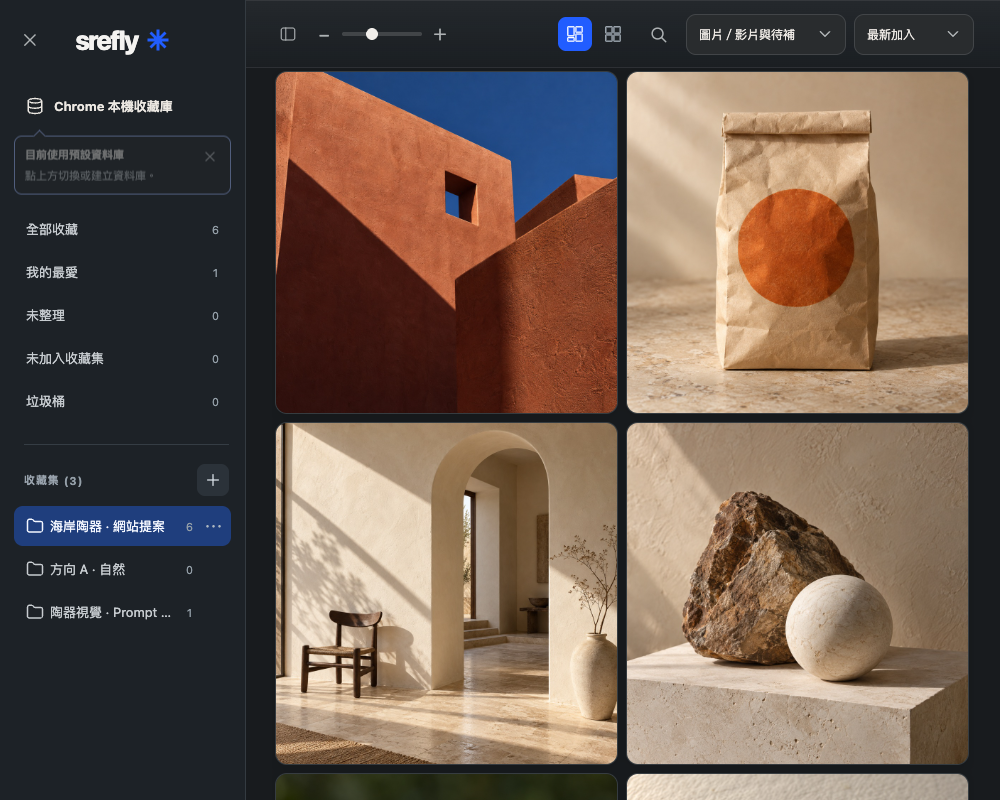
Define the question first
Imagine preparing a website proposal for a ceramics brand. You need colors, material cues and space for the homepage headline. Create a Coastal ceramics · Website proposal collection for composition, packaging and material references.
Record the purpose of each reference
Add a reason to each reference: terracotta could be the primary color, side lighting reveals texture, or space on the left could hold a headline. Keep the source URL and use consistent tags so the ideas remain searchable across projects.
Choose three directions from your references
Search your tags in the manager, select related images and add them to collections such as A · Natural, B · Geometric and C · Quiet. The same saved item can support several directions without creating duplicate files.
Bring the reasons into your actual proposal
Build the layout in your design tool, then record why a reference was selected or rejected. SREFLY manages references and notes; it does not generate or deliver the design. Export a backup so you can reuse the reasoning on a future project.