SREFLY FOR CHROME
Start your next generation from your previous notes.
Keep the complete Prompt, reference values and version context so you know what to preserve next time.
Guided exercise · Actual extension UI · Example collections
Keep a complete record of an experiment
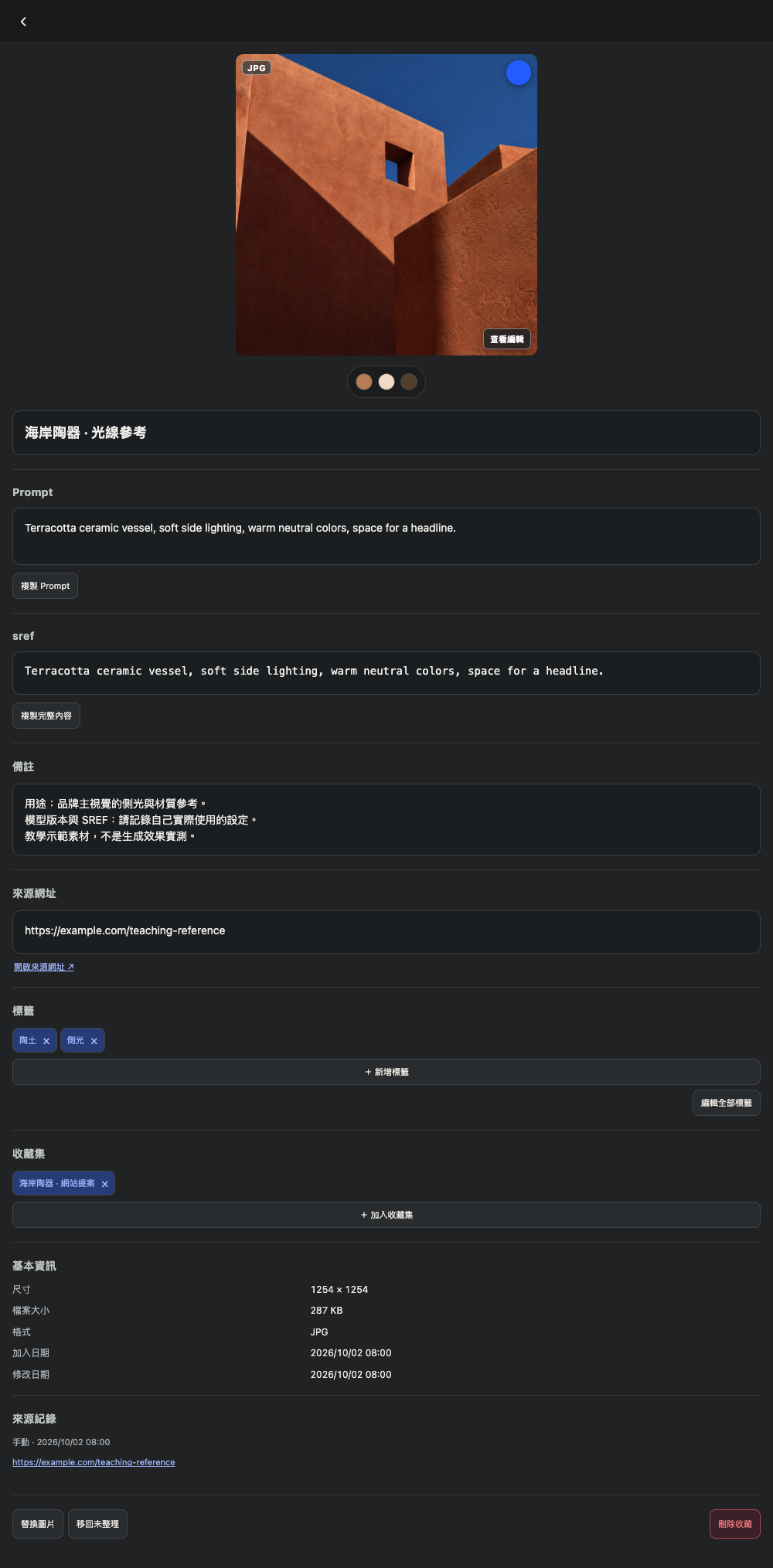
Start with a generated image you have permission to keep. Add it to a Ceramics visuals · Prompt experiments collection. Record the complete Prompt, your SREF value, tool, model version and the lighting or material you want to preserve.
Change one condition at a time
Copy the original Prompt into your generation tool and change just one condition: the subject, composition or background. Save the new result as another item with the same project tags and a note about the change. Preserve the original record for comparison.
Search for a direction you can reuse
Search your notes and tags for soft side lighting or terracotta tones. Check the version context before reusing the text. SREF behavior can differ between model versions; check compatibility in your generation tool. Saving a code does not guarantee identical results.
Record the result and next step
Favorite the settings you want to reuse, note which layouts they suit and export a .library backup. This is a guided example, not a client case study, tested generation result or performance guarantee.